primary languages – Page 9 – ¡Vámonos!
 

Tag: primary languages


I’ve spent today at University of Leicester talking to Primary PGCE students about using technology as part of a yearly event organised by Doug Dickinson aka @orunner. I took part in the original one and have missed the last two as I was in Switzerland so it was good to be invited back this year for the fourth year.

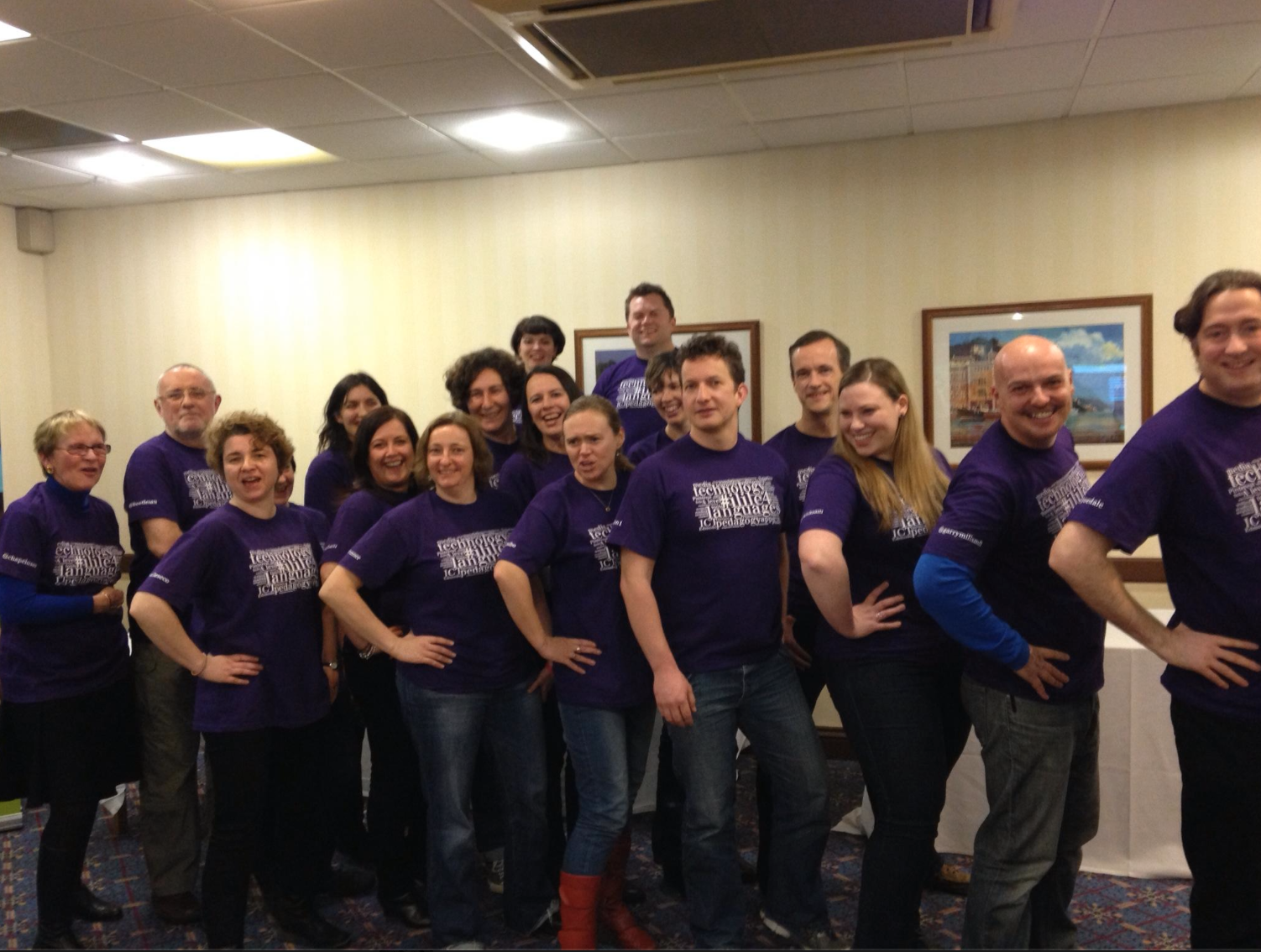
photo

(Thanks to Oliver Quinlan for the very ‘serious’ photo!)

Below is my presentation and below that, some links to sites and apps I referenced.

4 Pictures 1 Word free app
PicCombo free app
Ruzzle free app

Padlet
Popplet – also app lite (free)  and paid (£2.99)

Festisite
Tools for Educators

Storybird
BookCreator – app (free to try) and paid (£2.99)
PicCollage  app (free)
PicLit

Tellagami – app (free)
Morfo – app (free)
Voki

Any questions, please feel free to leave comments below or message me via Twitter @lisibo

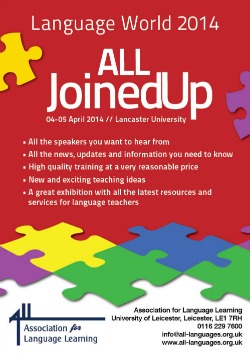
ALLJoinedUp250x354

Following on from #ililc4, I’ll be speaking at Language World.

This year it’s entitled ALL Joined UP and is taking place at Lancaster University 4th-5th April. With a very broad programme on both Friday and Saturday catering for all levels of language learning from Primary to HE, it is always a conference that makes you think. I particularly enjoy the more academic talks as I rarely get to hear such things, but if that’s not your thing, there are plenty of practical sessions to please you with ideas that can be used tomorrow.

And that should include the session I’m doing with Joe Dale and Helen Bates on Multimedia language learning with iPads 

More details are here including how to book for the conference and conference dinner on the Friday night.

Having missed the last two (I was in Switzerland!) I am especially looking forward to this year’s event.

ALLJoinedUpHere are posts of my presentations from previous years!

Language World 2011 – Entitled to enjoy primary languages

Language World 2010 – Bricklaying for beginners

Language World 2009 – Absorbing language learning

And some from sessions I’ve enjoyed (as far back as I can find that weren’t ruined when the site was hacked)

Reframing languages (2011)

Mini Olympic packs for primary languages (2011)

President’s address (2011)

Make it real (2011)

Languages reboot (2011)

Progression in reading and writing (2011)

A narrative approach to storytelling (2011)

Languages and the Olympics (2011)

Liz Black Embedding languages (2010)

Claire Dodd Embedding languages (2010)

Reflecting on Language World 2008


My first session at #ililc4 was aimed at beginner users of iPads in the Primary classroom.

My presentation is below, and under that I’ll briefly recap the session.

You can find helpful links, ideas and tutorials at bit.ly/lisiboipad

After looking at some of the pedagogy behind using iPads in the classroom, we watched a video from Cedars School that outlined some of the reasons that such technology is so helpful. And then it was on to the iPad itself.

We talked about how to take screen shots (hold down on/off switch and home key) how to add websites to your iPad as a bookmark and also with an icon so they appear as an app (use ‘box with arrow coming out of it’ icon and Add to home screen) as well as how to add images to the camera roll (hold finger and Save image) as well as copy and paste images and text (hold finger and Copy; hold finger where you wish to put it and Paste) I also explained how to add accents to letters by holding the letter until a popup menu of accented letters appear and then sliding to the option you want, and how to add different keyboards in General – International – Keyboards – add new keyboard then scroll between them using the globe icon next to the space bar when typing thus avoiding auto correction of your Spanish into English for example.

I shared how you might project the iPad in the classroom using Apple TV, Reflector / AirServer or a VGA/HDMI adaptor, and we discussed the advantages/disadvantages of each (I demonstrated the importance of having two options as Reflector wasn’t working so my adaptor was essential!) I also explained a variety of ways to get things off your iPad using email, Dropbox and Foldr for example. We might also have discussed Showbie but it was for beginners!

Then we talked apps – we looked at some specific language apps like Mindsnacks French for French vocabulary learning,  Lectura Mágica for phonics in Spanish and Wortzauberer for German spelling/phonics. There are lists on the wikispace of specific language apps.

I made my love of generic apps very clear however as they are so much more versatile and can be used across the curriculum so it’s easier to justify any cost.

We looked at Popplet as a mind mapping tool, useful for vocabulary lists, sharing plans for units, mapping ideas, planning work. We discussed how you can add images from the camera roll or take a picture as well as text, and how to change the colour of the bubbles, and then how to export it as a jpg or pdf via email or to the camera roll as a jpg.

photo

Then we explored Tellagami (which was behaving contrary to reports that morning and unlike Popplet which kept crashing!) an app that allows you to make an talking avatar using text to speech (not so good for languages other than English) or by making up a recording of up to 30 seconds. I explained how I use it in the classroom to record pupils speaking as it allows me to record their task and review it later, and is also very motivating for them, allowing them to rehearse and refine their speaking. I also warned that it is quite addictive making Tellagami avatars so to make sure that the objective of the exercise is clear to learners – to speak Spanish (in my case) not to make a beautiful avatar! We also  had a quick look at Morfo Booth, another tool that encourages speaking, and I demonstrated how you could animate a picture – the result was rather scary I have to say!photo

Then I shared my favourite app, BookCreator. So versatile and useful, not just for writing stories but for all kinds of writing – making speaking word books, dictionaries and glossaries, information books, stories, explanations and so on. The ability to add text, sound, videos (directly from the camera roll), hyperlinks to URLs and also the ability to merge books to make a collaborative book makes it a really powerful tool, not just for language learning. And in BookCreator version 3 you can even draw and write on your book using the pen tool! I’ve talked about how I’ve used this app with Year 3 to write their own ebooks previously, and I’ll be sharing more at Language World in April in Lancaster in a session with Joe Dale and Helen Bates. Books can be shared in a  variety of ways and can be easily shared as a PDF. However, this does not allow for audio/video to function and you need either an i-device or Chrome and the app Readium to read the books as fully functional eBooks at present.

photo

And that was it as it was time for tea!

I also wanted to share Pic Collage, Puppet Pals HD and Sock puppets but we ran out of time so here are a few notes!

I’ve used Pic Collage a lot recently to encourage learners to write in Spanish; some of my pupils have only had 6 weeks of Spanish so far and their repertoire to write is limited. They used PicCollage to make a poster using what they knew (and bits that they’d found in the front of their exercise books – impressed me!) They enjoyed it and felt confident, and they were proud to see their work projected onto the IWB.

IMG_0656IMG_0317 IMG_0172


Puppet Pals HD (with Director’s Pass) and are great digital storytelling apps, taking my use of puppets to a different level. Both allows you to make ‘puppet shows’, SockPuppets with socks and Puppet Pals HD with characters within the app.  In Puppet Pals you can also add your own characters from images from camera roll, cutting them out as well as backgrounds. In SockPuppets you can change your voice, higher or lower according to the level you set for each puppet.

Screen Shot 2014-02-15 at 21.01.43

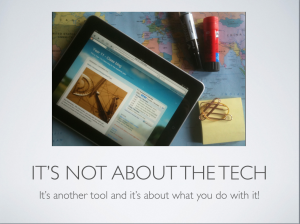
And the final slide said – it’s not the technology that’s important, it’s what you do with it as this video demonstrates!

httpv://youtu.be/itUMO7VLl0M

Reflections on #ililc4

| 1 Comment

Screen Shot 2014-02-10 at 21.07.15After a week in which my exhaustion was overcome by the enthusiasm of my learners, I’m finally getting around to posting about #ililc4, the cause of said exhaustion.

I love #ililc. Every year, I look forward to it, and it’s especially special as I’ve flown back from Switzerland the last two years to speak there. #ililc1 there was the possibility of us moving to Switzerland; #ililc2 it was the first time I’d been ‘home’ since I moved to Switzerland and last year at #ililc3 I was about to announce my return to the UK when I was offered a job that threw a spanner in the works – therefore, I’ve ended up rather emotional each time. And that’s why I love this conference so much. It’s about far more than the things we learn about language teaching and learning; it’s about looking after each other, supporting one another and encouraging people to keep going when they feel like giving up. It’s for hugs, pats on the back and hand squeezing; listening and sharing, laughing and crying; for pep talks and words of wisdom. And in the past it’s even been for providing ‘exiles’ with essential supplies of paracetamol and Horlicks (I can never thank you enough for that!)

No big dramas this year (thankfully!) so a much more even keel was held and I enjoyed ‘spreading the love’ with much squealing and hugging (apologies if I squished you too hard or squawked just a little too loud)

And so to the reason we were there. I admit to taking very few notes as I was too engrossed in listening and tweeting. So here’s a Storify of my tweets, and i’ll try to summarise other bits!

Joe Dale’s keynote was packed as usual with facts and figures, great thoughts, funny pictures and plenty to give pause for thought. I need to watch the re-run and pause it to catch it all I fear!

Then I did my session on A beginner’s guide to iPads in the Primary language classroom (see my next blog post!) – seemed to go down well!

After a swift cup of tea, it was off to Clare Seccombe’s session on mini books.  WOW! You wouldn’t think that there were so many types of mini book. Like Clare, I love books and appreciate her sharing “It’s a book!”, a story that I bought in German. I tweeted madly, taking pictures of the different types of book, and was left wanting to make books for the rest of my life. Find out more here

A lunchtime presentation on This is Language was interesting. Not necessarily useful in a primary context but fun to have a look at the videos and activities designed for GCSE learners of French Spanish and German. I discovered that my ability to type fast in French is very suspect! 

Next was MFL PE Rap and ICT with Dominic Traynor aka Spanish Bootcamp. Dominic shared how he has a dual role as PE and Spanish teacher, and how he combines the two. I loved playing some of the games he uses like La batalla de cojos that involves hopping whilst trying remove your opponents’ ‘tails’ (bands tucked into their waistbands) and Cabezazos (heading a beanbag); I even used Palmadas (throw a beanbag in the air and count to a specific number in Spanish before you catch it) in assembly this week! He also recommended Memrise which is something I spoke about a couple of years ago at various Teachmeets but had stopped using, It seems to have developed more now and it’s possible for teachers to write their own courses. 

Final session of the day – Don’t worry be ‘appy with Rachel Smith aka @lancslassrach. Subtitled – The Power of One; 1 iPad, 1 classroom; 1 teacher, Rachel talked about her experiences of using one iPad in there language classroom. She recommended several apps that interested me including Pass the parcel and Shake and Boom for games playing, and  StopGo for timed activities. Have a look at her presentation or my tweets for more ideas.

The evening Show and Tell was good as ever with really interesting and practical ideas from many people including Clare, Rachel, Nina Elliot and Sam. Simone shared about her Chinese New Year celebrations at school – including a real live horse (at school, not the SAT!), Helen sang beautifully and advertised ALL (join if you haven’t already!) Dom shared a game called Mot de passe when you have to communicate a person, place or thing to someone using single words, Eleanor talked about using physical actions for punctuation and accents, Glennis talked about my beloved Tellagami, Chris talked Teachmeet, Garry talked about Sporcle.com and Simone and John sang (anyone got a video? Mine didn’t record!)

Day two started at 8.50am – and I was speaking! Find out more in my blog post on Something old, something new – coming soon!

After coffee, off I popped to see Isabelle Jones talking about Pinterest, a very addictive site. As I tweeted, it’s not all about cake pops, shoes and wedding dresses, and as Isabelle shared, it’s very useful for collaborating with others in collecting ideas and resources for language teaching and learning. Much oohing and aching followed her presentation as we were given time to play and pin whether online or using the app, following one another and discovering that those in other sessions were pinning too – multitasking they called it 😉

Jo Rhys Jones was my next session (wish i got to see her more – must try harder!) talking about Big ideas for tiny schools, or extreme differentiation for little people. I was glad that someone else gets an idea/motif and runs with it as her use of gnomes rivalled the wedding photos in my presentation. Although most of us aren’t teaching mixed age classes, everything that Jo said was good practice for differentiating in a same age class. Her ideas of progression in terms of skills was particularly helpful, e.g. word to word+adjective to short phrase to sentence to extended sentence. And Pigloo and Tchic et Tchac too 🙂

My final session (well, ¾ of the session) was Flipping the classroom with Sadie McLachlan. Loved the videos that have been made by the department to facilitate learning and interesting to see how Flipping is working for them as we continue (slowly) to flip lessons at Welford. A bit trickier for me as I don’t set homework and can’t make participation compulsory, but ideas can be adapted! Find out more at fliplearningmfl.blogspot.com

Then home, happy and exhausted.

However, that wasn’t the end really as I read Clare’s keynote on the train and promptly welled up, tears streaming down my face much to the bemusement of those around me. I could identify well with all that Clare said and although I wasn’t there, I felt that I was. Heavens only knows what state I’d have been in if I were – perhaps it’s better I’d left as I had another weep when I watched it back on the recording. Well said Clare.

I am looking forward to more fun, more sharing and more inspiration next year at #ililc5 – but in the meantime, I’m looking forward to interacting with the #mfltwitterati on Twitter and hopefully in person.

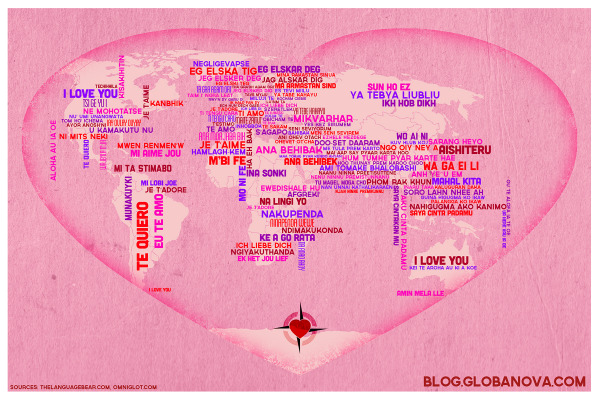
GlobaNova_ILoveYouMap_Pink-1800Presentations and handouts

List of blog posts (as of 14th Feb) about ILILC4
 

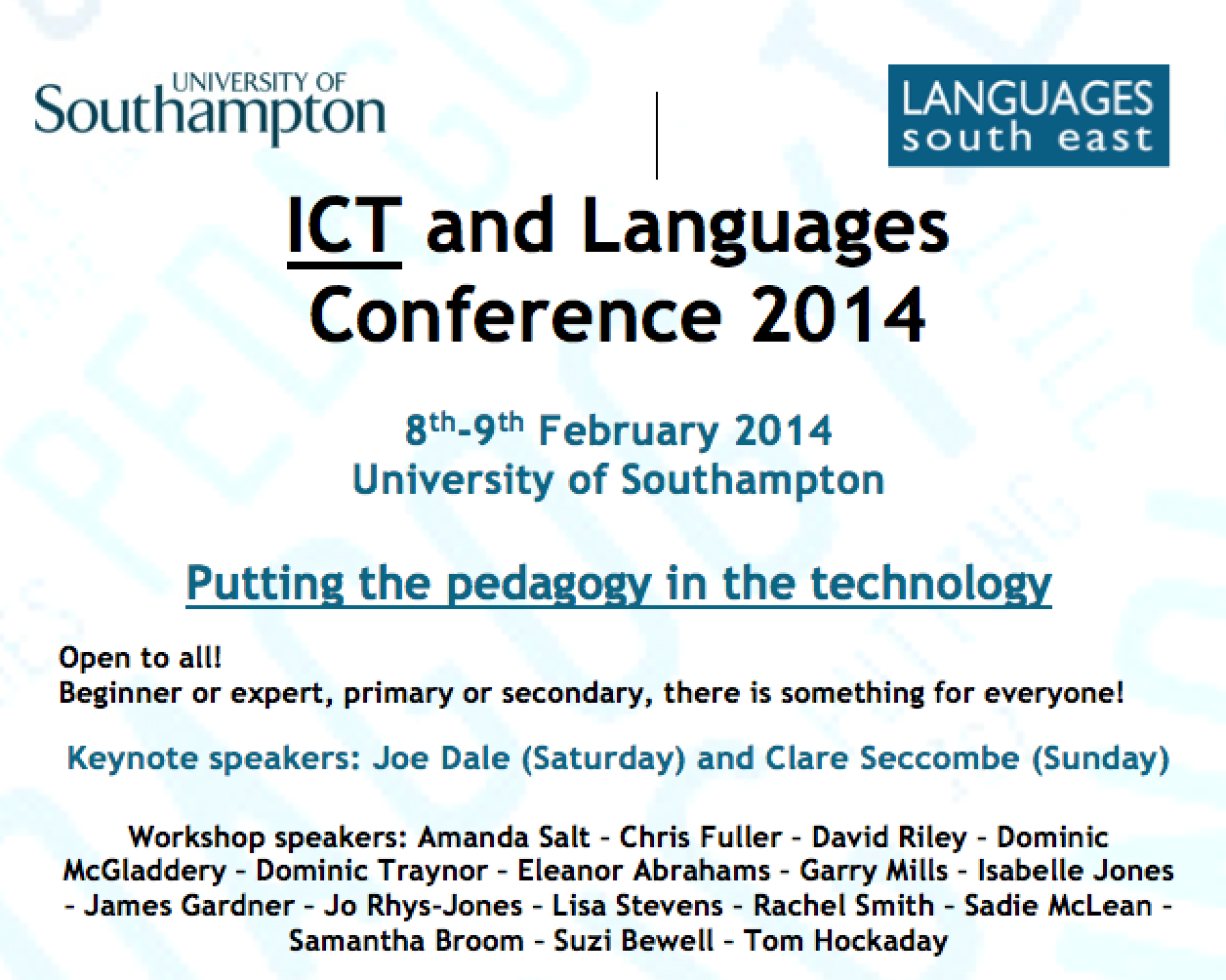
Screen Shot 2014-01-18 at 14.35.33Now in its fourth year, ILILC (ICT Links into Languages Conference) takes place at University of Southampton on Saturday 8th and Sunday 9th February. Offering something for language teachers of all ages (and language enthusiasts too!) it is not to be missed. So much so that for the last two years I’ve flown in from Switzerland to attend.

The theme this year is Putting the Pedagogy in the Technology – very important message that I’ve been banging on about for ages, inspired many years ago by Ewan McIntosh saying “It’s not about the tech but about the teach.”

The two keynote speakers, Joe Dale and Clare Seccombe,  are always worth a listen and the list of speakers is impressive:

Amanda Salt – Chris Fuller – Davis Riley – Dominic McGladdery – Dominic Traynor – Eleanor Abrahams – Garry Mills – Isabelle Jones – James Gardner – Jo Rhys-Jones – Lisa Stevens – Rachel Smith – Sadie McLachlan – Samantha Broom – Suzi Bewell – Tom Hockaday

The programme will be on the Languages South East website very soon but I know that people are talking about all sorts of things including SOLO, flipped learning, mini books, mobile learning, apps, Flubaroo, Triptico and much much more!

As you may have noticed from the above, I shall be speaking.

My sessions are entitled A beginner’s guide to using iPads in the Primary classroom and Something old, something new… 

Shall I reveal more? Perhaps in another post…

Can I encourage you, if you possibly can, to join us in Southampton for what is always a brilliant conference at which I learn tons, have a shedload of fun and make new friends that support me throughout the year.

There’s also a Show and Tell on the Saturday night at which people can share their ideas, activities, games and songs in an informal manner so if you’re local and can’t make it for the whole conference, pop along! Sign up on the wikispace!

Find out more here

Screen Shot 2014-01-18 at 14.35.14

Screen Shot 2014-01-18 at 14.35.42


Los Reyes Magos

| Leave a comment

This lovely video caught my eye. It explains (in clear Spanish) the story of the Reyes Magos (Wise Men / Kings) in the Bible as well as sharing how they are important in the celebration of Christmas in Spain.

The video is linked to an iPod/iPad app called Los Reyes Magos de Oriente that costs £1.99 and is an interactive version of the story with activities for young children. (Haven’t investigated it yet as it costs money but I’m tempted…)

Although the video is simple, it is 7 minutes long so I wouldn’t necessarily play it in its entirety to my classes as they’d be overwhelmed I think, but I’d definitely play it in sections.

httpv://youtu.be/TJ_UKn0Y23M

Another video that’s a bit long to play in one chunk is Dora la Exploradora Salva el Día de los Reyes Magos – but it’s great fun, and certainly worth using in chunks.

httpv://youtu.be/HI6mC1uFTzM

And I have to say that I love this clip too, although I’m always reluctant to show it in class as I don’t want to shatter illusions…

httpv://youtu.be/jYaOa-V5slI

Resources

Thanks to MFL Sunderland and Clare Seccombe for this lovely colouring activity featuring a stained glass window style image of the Reyes Magos.

Crayola has a craft activity to make 3 stand up Wise Men whilst Kids’ Crafts have a template to make Three Kings paper chain dolls. And for the more adventurous, why not make cup and ball Reyes?


Other related posts

Two years ago I posted a different Christmas carol in Spanish in the run up to Christmas – the 10th day was Fum Fum Fum and you can go back through the previous 9 days from there.

A lovely retelling of the Christmas story in Spanish and in video form too

A bit of Bublé singing Feliz Navidad or a version on iPods/iPads/iPhones

The story (in Spanish) of how Father Christmas thought about moving Christmas to July


Last night I braved the cross city traffic and went to King Edwards Five Ways (nowhere near the Five Ways I know!) for TeachmeetBrum. Organised by @frogphilp aka Steve Philp of Paganel Primary, it was an intimate affair (but that’s not a bad thing!) but that’s a good thing as we all talked to one another!

I admit to spending longer on cupcake production than on my presentations, but I often do my best work when hoofing it and speaking from my heart.

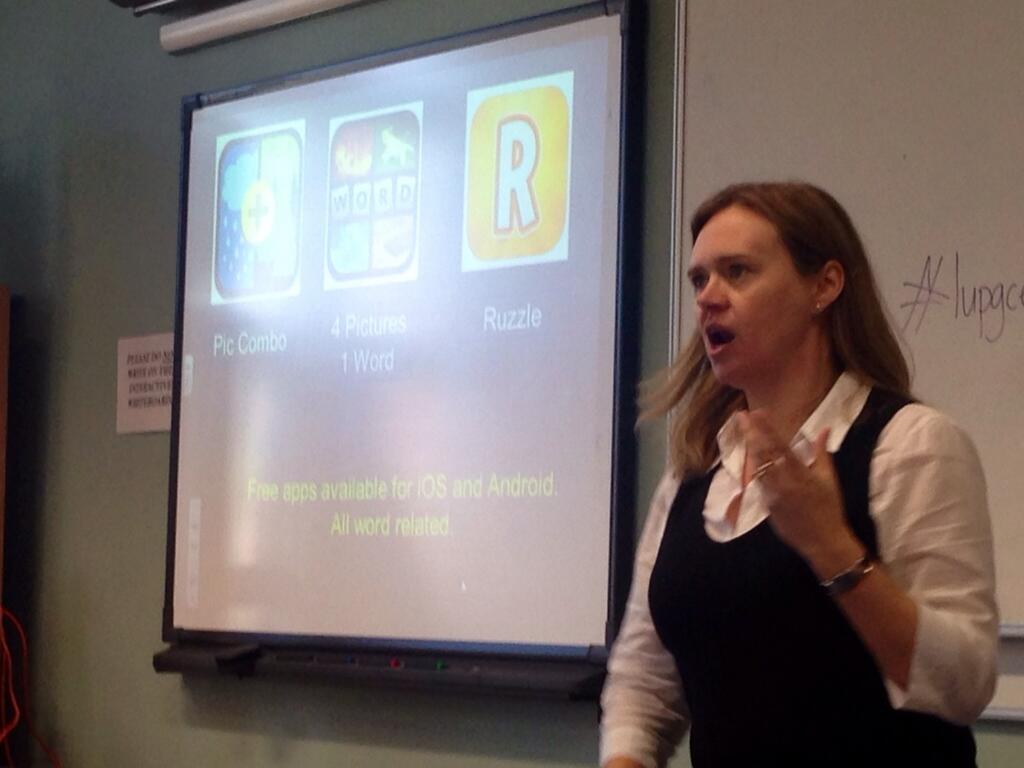
I talked about using apps like PicCombo, 4Pictures 1Word and Icomania (iOS and Android) to inspire learners at the start of lessons as well as increasing vocabulary. I used them when teaching English last year; M+M loved the puzzle of working out how the picture were linked and then discussing what a duster and a red and white flag had to do with one another (answer – polish/Polish) There is a French, German and Spanish version of 4pictures 1word available in the Swiss (Fr/Ger) and Spanish (Sp) iTunes stores – you can download them if you have an account with that store. Alternatively, you can do as Dannielle Morgan did and create your own! She has made some for Year 7 French ,  Year 8 French and Year 9 French that she kindly shared on TES Resources
I didn’t make a new presentation but recycled part of an old one – see below!


My second presentation was also recycled from MFL Show and Tell in Coventry – and I make no apologies for it as I think it was a really successful unit of work that both the kids and I enjoyed. Inspired by Go away Big Green Monster in Spanish, and the learning journey topic of Mythical Monsters, Year 3 and I embarked on a mission to write books in Spanish. See how we did it below, using non-technological means as well as iPads!

The PPT of Señor Cabeza Naranja is all over the place for downloading (some with my name removed which bugs me no end!) – just Google it. However, the updated version is below!

Hopefully I managed to inspire someone, and failing that, hope someone enjoyed my cupcakes 😉

Last night was #DevonMFL Teachmeet. Despite being given warning, life took over and my contribution didn’t arrive in time for the night. However, rather than waste it, I decided to share it here!

So, here is my hastily – but not hastily enough – prepared short presentation on using games to learn Spanish in and out of the Primary classroom.

Teachmeet Devon 3.10.13 from lisibo on Vimeo.

I refer to various things in my presentation that may need further explanation – I’ve linked to some below but feel free to ask questions in the Comments if you need clarification.

Toenail game

La vaca Lola

More games etc can be found in this post/presentation called Games to learn and I also spoke at #ililc3 on using games and activities in the language classroom in a presentation entitled Let out for good behaviour!

What I didn’t say (I was trying to keep under 7 minutes!) was that Take Ten en español is brilliant for embedding language into the curriculum, and for supporting the non-specialist teacher! Check it out here! 

*This is one of a series of posts about some of my favourite story books for Primary Language Learning*

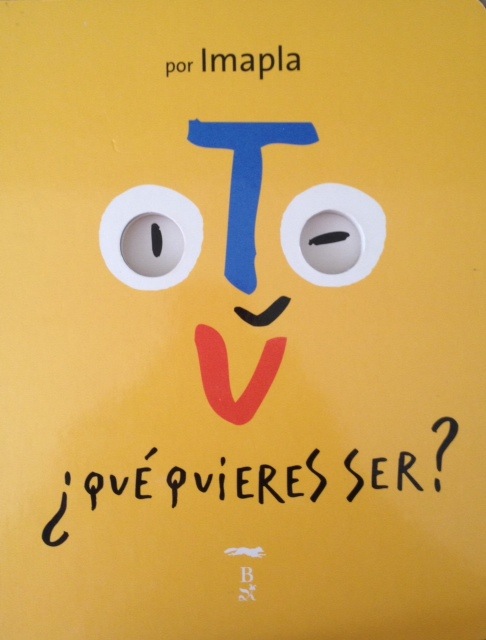
Following on from yesterday’s post , my other Imapla book is Tú, ¿Qué quieres ser?

Image 1

This has the same quirky style of drawing and poses also poses a question; in this case, what would you like to be? Each page responds with the same structure:

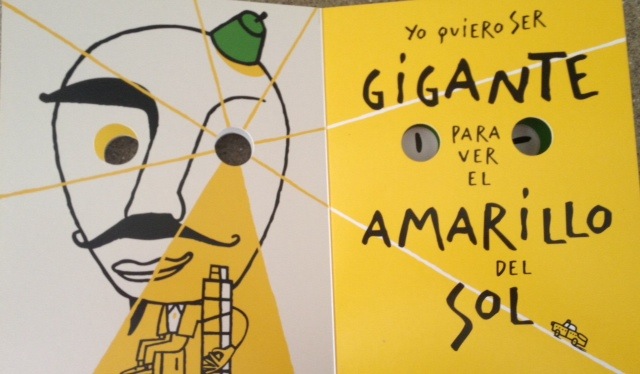
Yo quiero ser (profesión) para ver el (color) de (sitio)

Image 2

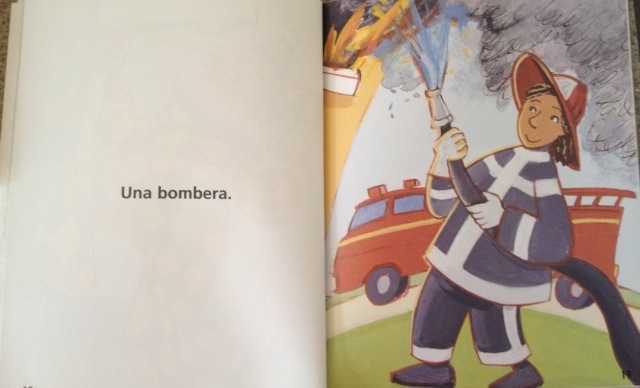
There are some of the usual professions to which we often aspire as children like bombero (fireman) and pirata, and then some more unusual ones like bruja (witch) and extraterrestre (alien). I like the eye holes that peek through the book and form part of each of the images.

The simple structure means that it’s easy to substitute the three changeable aspects of the sentence to make new ones about professions chosen by the learners. For example –

Yo quiero ser JARDINERO para ver el VERDE de LA CÉSPED Screen Shot 2013-08-20 at 15.45.18
Screen Shot 2013-08-20 at 15.45.43 Yo quiero ser ENFERMERO para ver el ROJO de LA SANGRE
Yo quiero ser MECÁNICA para ver el NEGRO del PETROLEO Screen Shot 2013-08-20 at 15.47.09


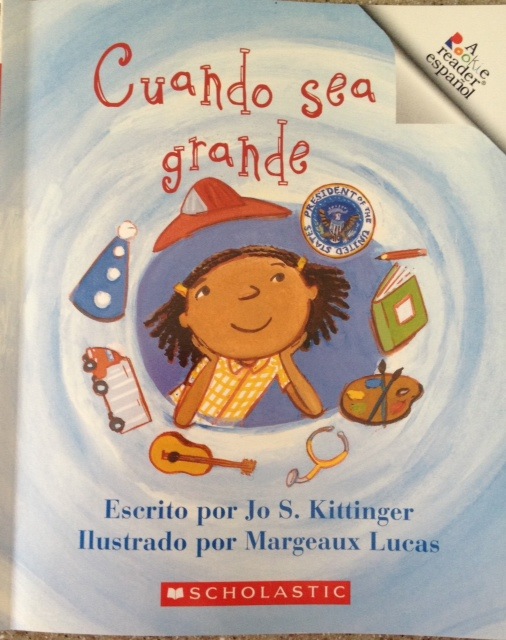
Another book on the subject of future plans/jobs is Cuando sea grande

Image 10This is one of the Scholastic Rookie Readers series A and is again very simple.

It opens with the statement Cuando sea grande, podré ser lo que quiera and the little girl goes on to dream about the job she might have with each page featuring a different job.

Una doctora, una granjera,or even la presidenta. Image 12

The thing I like most about this book is the final page that recognises that the little girl is still a child and just wants to play!

Image 9


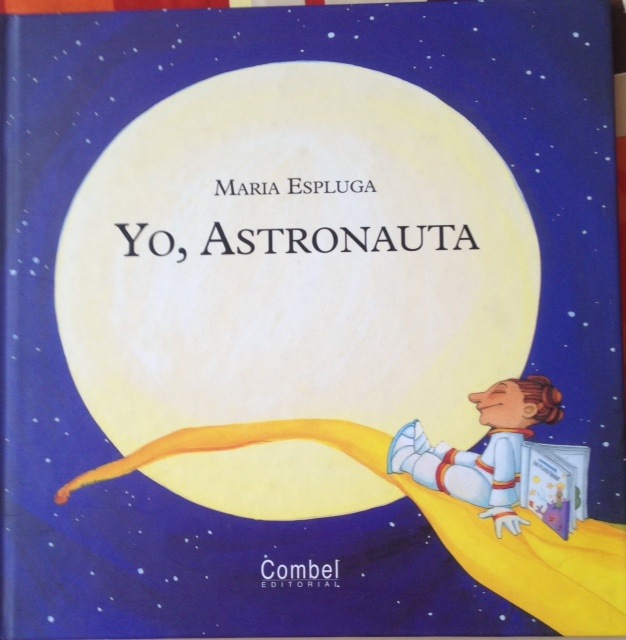
One final book on a similar subject is Yo astronauta, a lovely book in which a child dreams about what they would do if they were an astronaut. As the setting is space with the child visiting various planets before coming back to earth to see the sun set with friends, it’s a book I might share when looking at Los Planetas or discussing the solar system.

Image 11


For more ideas on jobs and professions, see also these posts

Los oficios

How I might use Yo quiero ser by Nubeluz

*This is one of a series of posts about some of my favourite story books for Primary Language Learning*

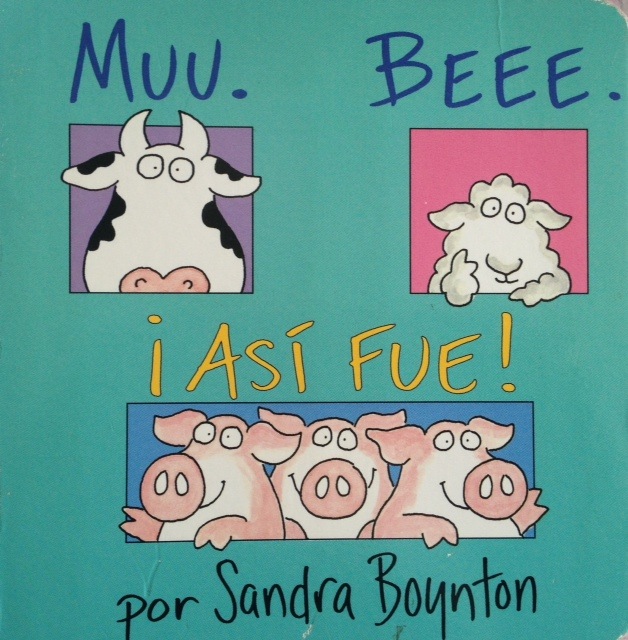
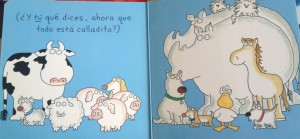
When my boys were little, one of their favourite books was Moo Baa La la la; in fact, I can still quote it verbatim as I read it so many times! So I was pleased to see that there was Spanish version Muu. Bee. ¡Así fue!

Image 3

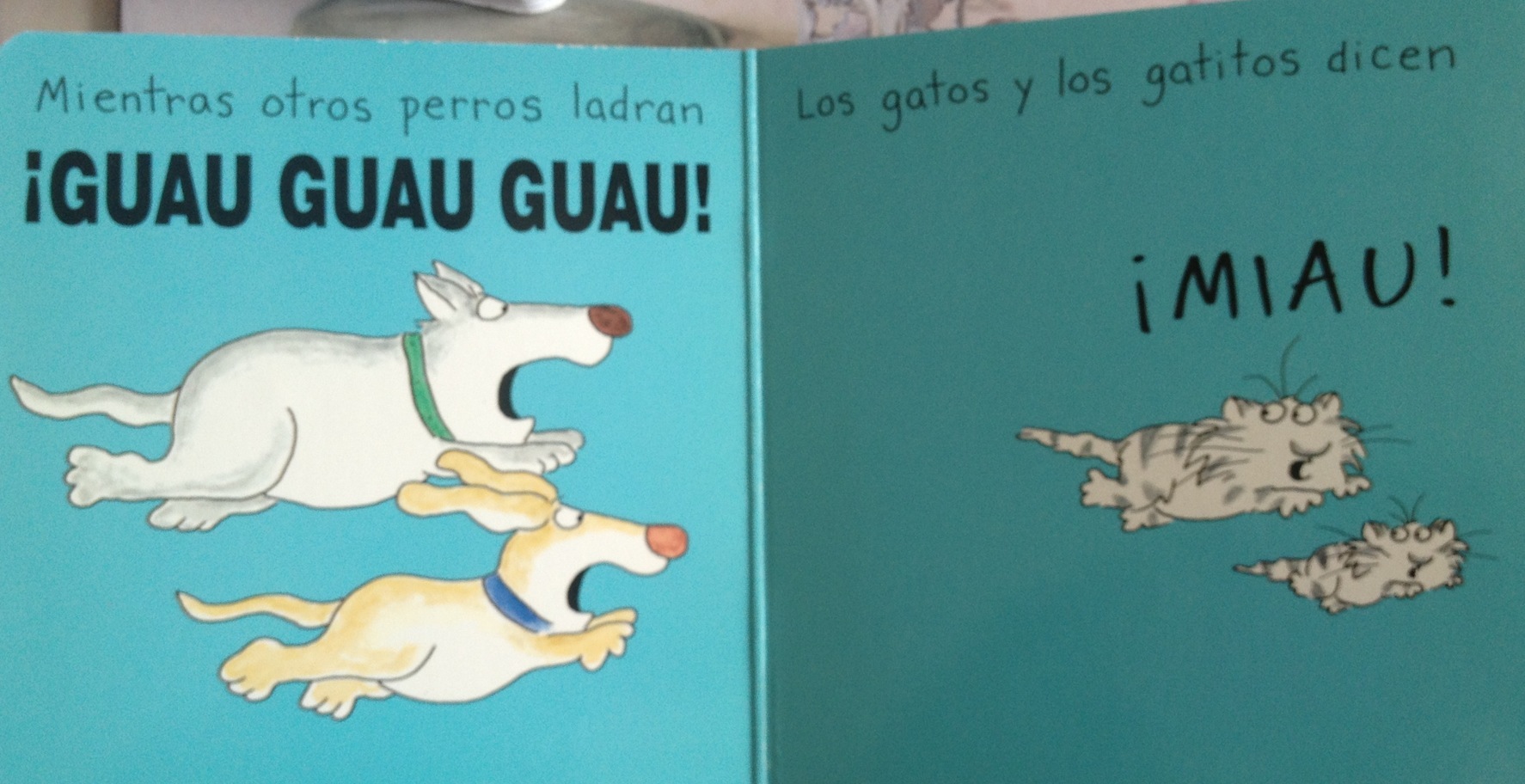
This simple rhyming book introduces the noises that animals make as well as animal names. I was pleased when I read it that it still (mostly!) rhymes in Spanish and that it features lots of animals that make different noises in Spanish. Or, as it’s come to be put in my classroom

“Animals speak other languages too!”

Image 4

When we use this in class, after the initial reading learners want to join in with the animal noises – it is fun after all pretending to be a snorting rhino! – so I pause at the appropriate moment to allow for this before continuing. The final page  also invites the reader/learner to share what they say so can lead into a game of ‘Adivina que animal soy‘; learners take it in turns to pretend to be an animal by making the noise and the rest of the class have to work out which animal they are. This could be done with more ‘control’ by assigning learners animals in advance or giving them a mask. And a (noisy!) follow on activity could be for everyone to be assigned an animal from the story e.g un cerdo, una oveja, una vaca, un pato, un caballo, un perro; and their task is to find the rest of their family by making the animal noise  and listening out for others doing the same.

tranquilo

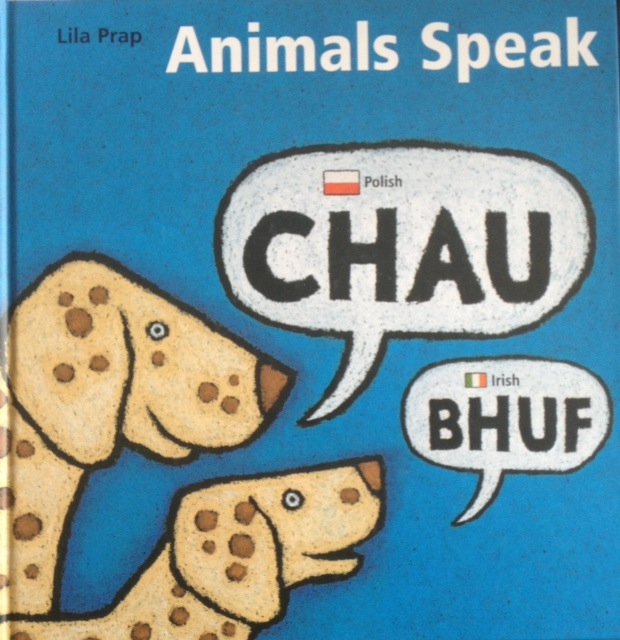
As I mentioned above,  “animals speak other languages’ was the conclusion that was reached when we read this book, and when I presented at the ALL North East Spanish Day at Gosforth High School I was given this book which reinforces just that!

Image 6

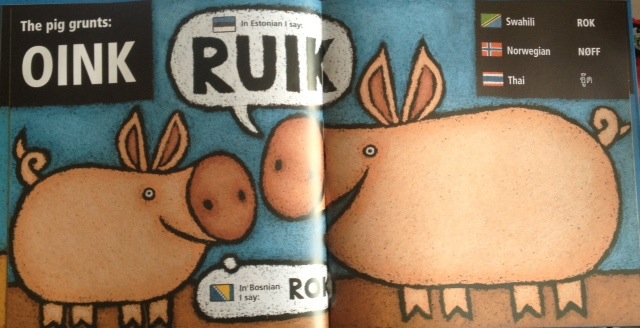
Whilst this isn’t a book in the language that I teach (mostly Spanish) I love sharing this as, to me, language learning is about more than one language. It’s about exploring and making connections, and sparking interest as well as celebrating diversity. This book has the English in the corner, and then one or two ‘featured’ languages on each page  i.e. the ones that animals say in their speech bubbles as well as a section in the opposite corner which shows another three languages.

Image 7

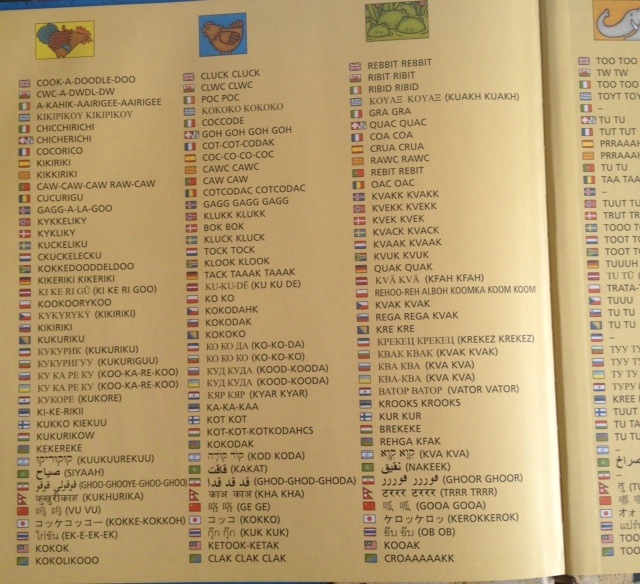
And in case you have trouble pronouncing the animal sounds, there is a glossary on the inside covers written “phonetically” to give you some help! My aim in using this book would not be to teach animal noises in 30+ languages but to look at similarities between the different languages, to consider whether we’d know which animal made that noise if we hadn’t got the picture to help us, and why, and to perhaps look at the home languages of learners in the group.

Image 8

The idea that animals speak different languages just like humans seems to appeal to children; I wouldn’t be surprised if there were pupils of mine across the world these holidays addressing animals in their ‘native language’ 🙂

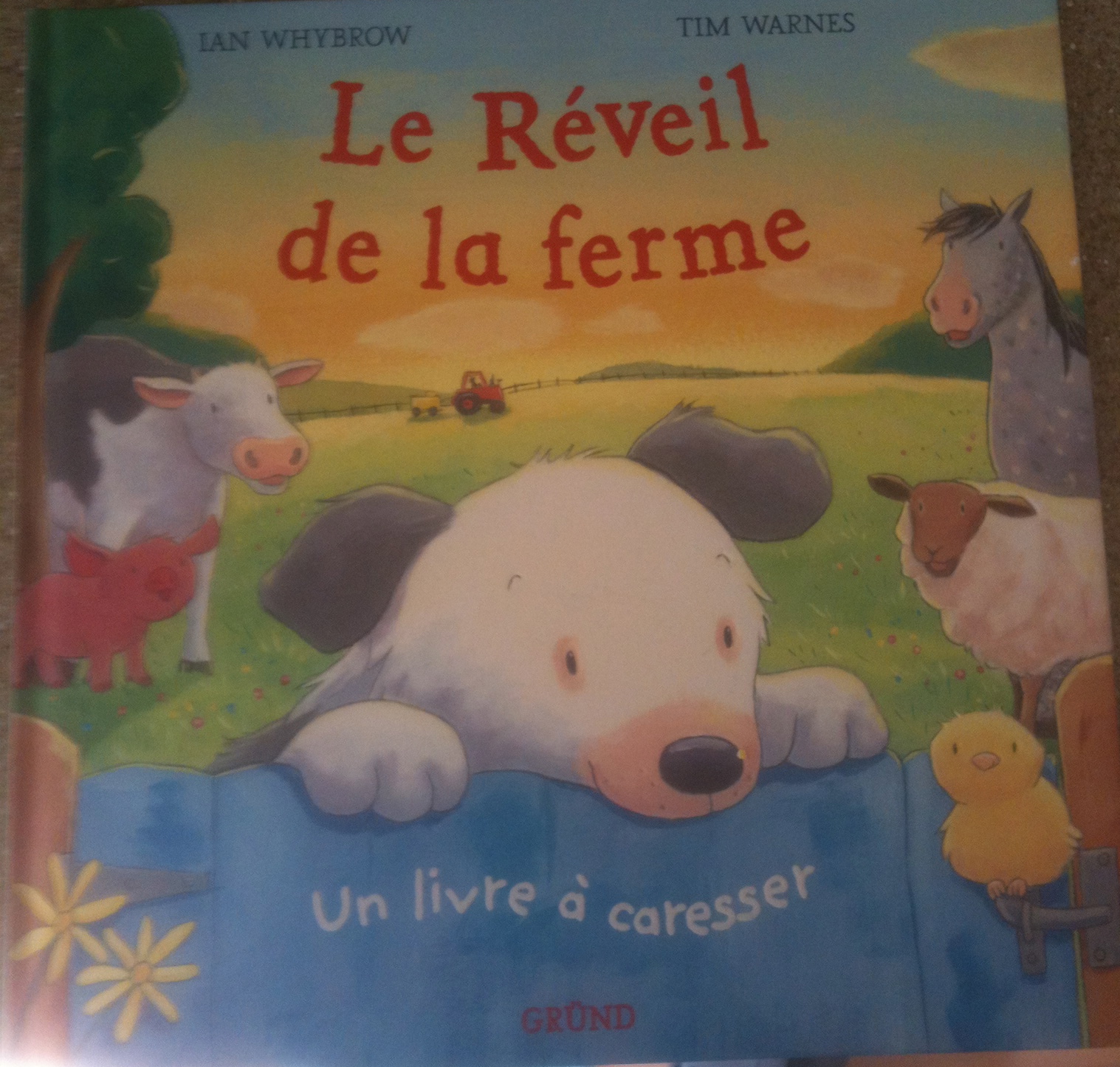
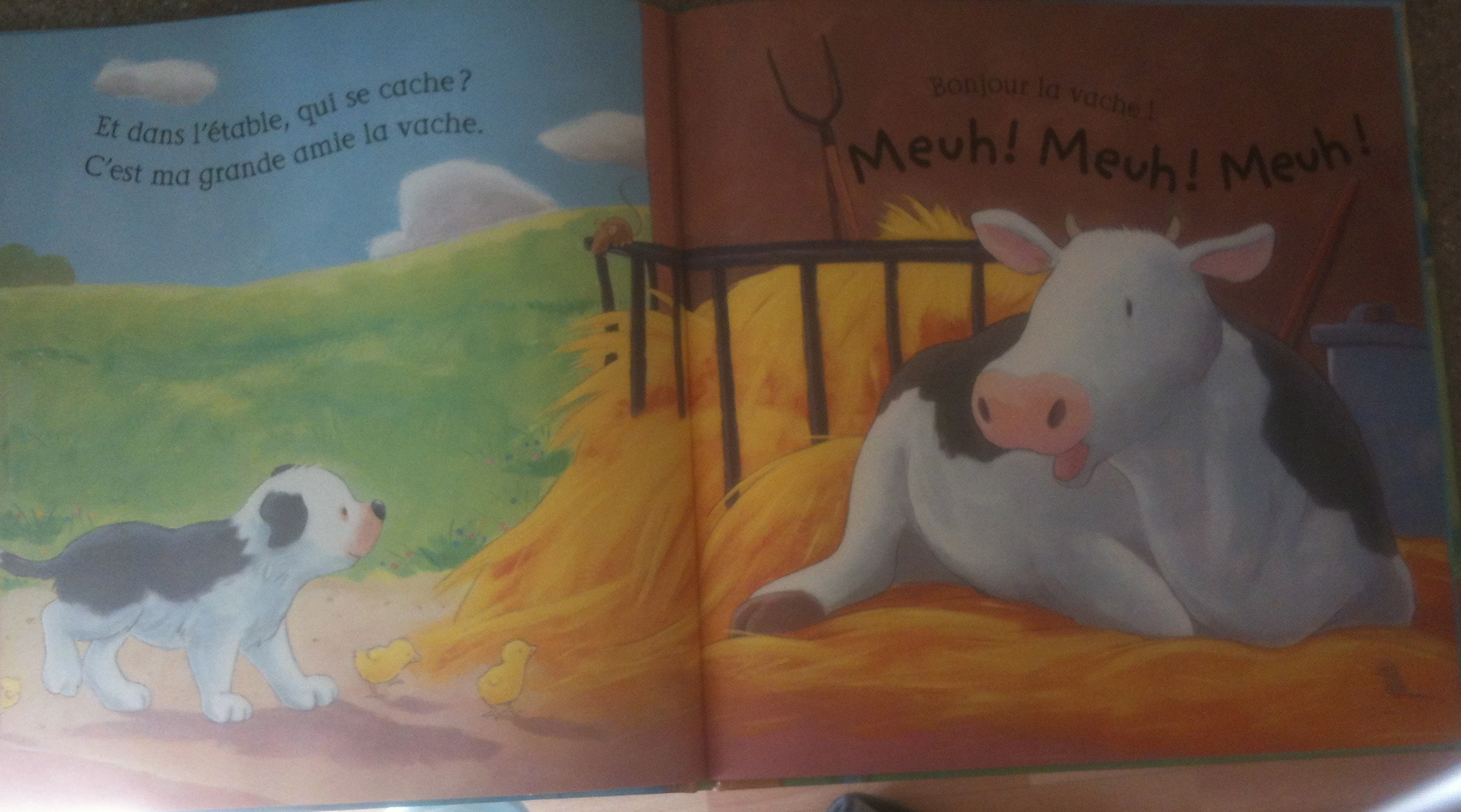
And if you want a French book with animal noises – and nice touchy feely patches for stroking ‘if you sit nicely!’ – there’s  Le Réveil de la ferme in which a little sheep dog goes around the farm greeting all his farmyard friends. He introduces them in a pair of rhyming sentences and then says Bonjour ………. before the animal responds with their call in French. At the end, he says goodbye to them all in a double page spread with all the animal calls in French (great as a reference point!)

IMG_0033 IMG_0035

¡Vámonos! ©2026. All Rights Reserved.
Powered by WordPress. Theme by Phoenix Web Solutions